Skip to content
undan

Alpha · first test version in early November

Ask your paperwork.

Documents, mail, calendar and tasks in one archive, on your computer. The AI connects everything and finds what you would have missed. You choose which AI.

You're only on the list once you confirm by email; unsubscribe anytime. MailerLite runs the list for us — privacy.

Your data stays with you. An AI only gets what you send it.

A real answer from Claude Opus, played back faster. Nothing is written until you click.

What you can rely on

  • Stays with you

    Ordinary folders and files on your computer, synced between your own devices. No cloud of ours.

  • You choose the AI

    Claude through your own subscription or a model on your computer, a different one per task. More providers are coming.

  • Proposes, never acts

    The AI proposes, your click carries it out — and Ctrl+Z takes it back. Everything works without AI too.

What's inside

Recorded in the application, with made-up data.
Inbox — read a scan, check it, file it.
Documents — what is still to pay.
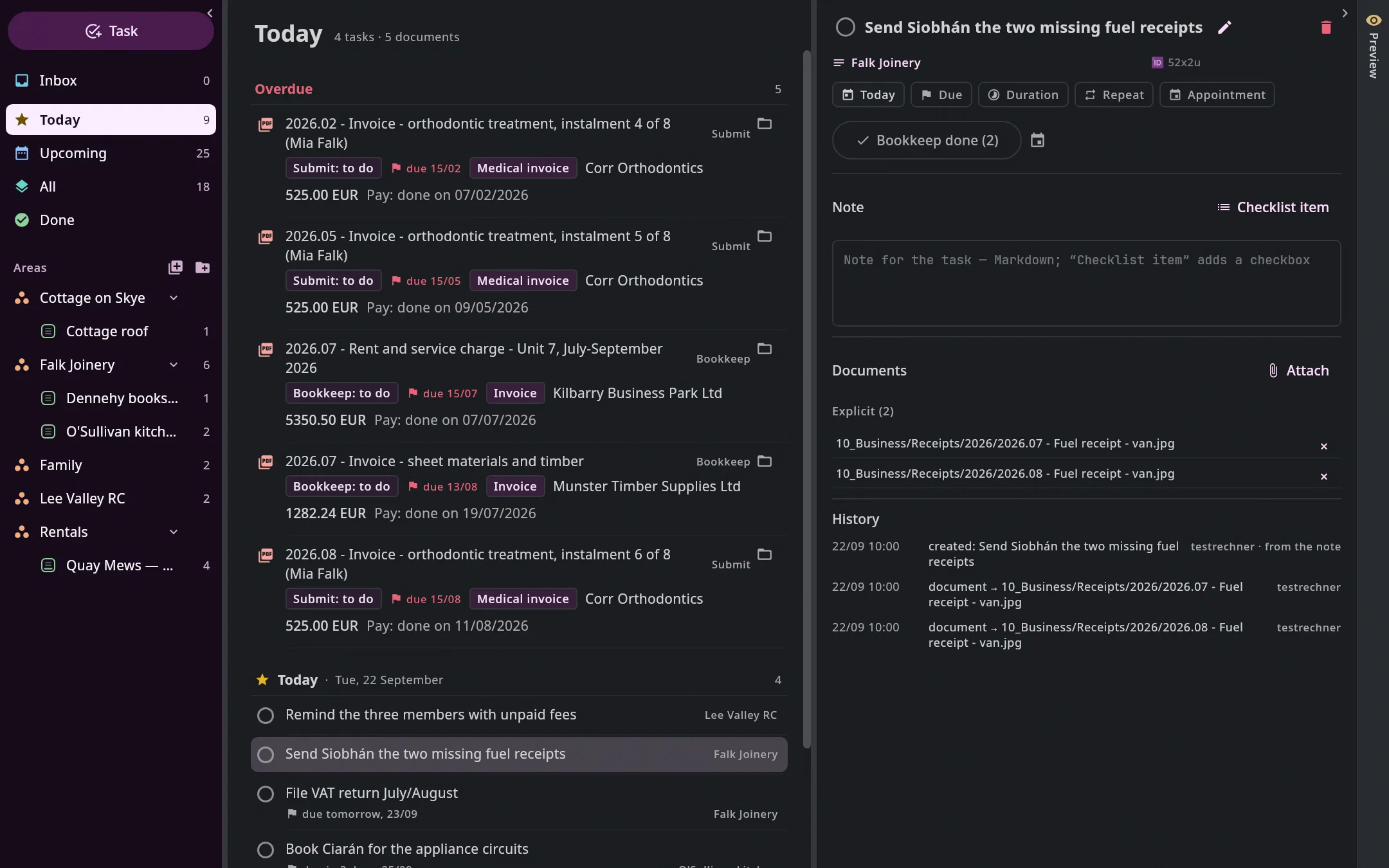
The Tasks tab on 22 September: on the left Inbox, Today, Upcoming and the areas with their projects, in the middle four tasks for today, two of them due soon, on the right the task “Send Siobhán the two missing fuel receipts” with the two fuel receipts as documents and the button “Bookkeep done (2)”.
Tasks — today, with their documents.
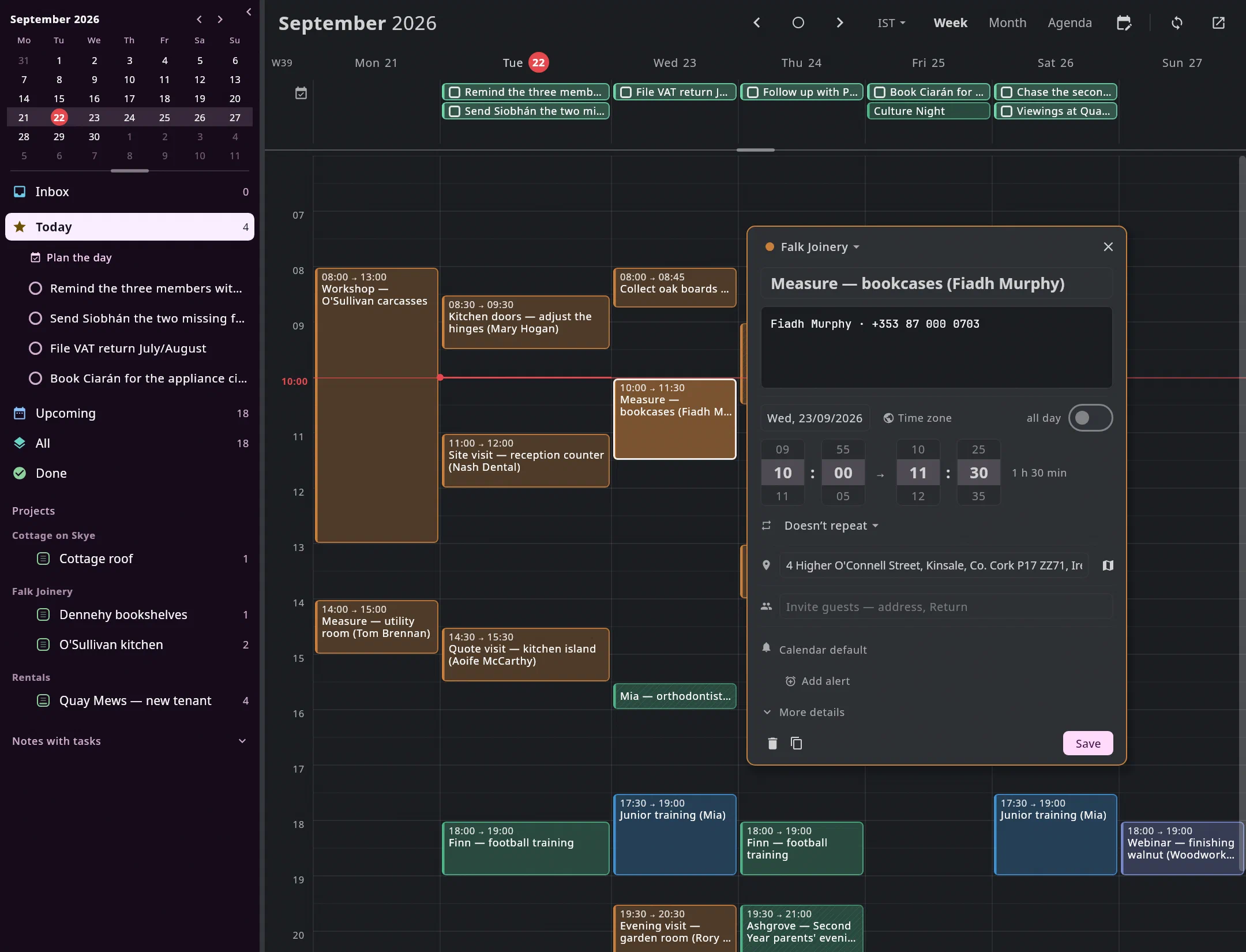
The calendar in the week of 21 September: at the top the tasks of each day, below the appointments from Google in the colours of their calendars — the workshop, customer visits to measure and quote for Tom Brennan, Nash Dental, Aoife McCarthy and Fiadh Murphy, an evening visit to Rory O'Leary, Mia's orthodontist, Finn's football training as a series, Mia's rowing, the parents' evening, a webinar from New York. Open is the measuring visit to Fiadh Murphy in Kinsale: the address with a map button, her name and phone number; on the left the month and today's tasks.
Calendar — appointments and tasks in one grid.
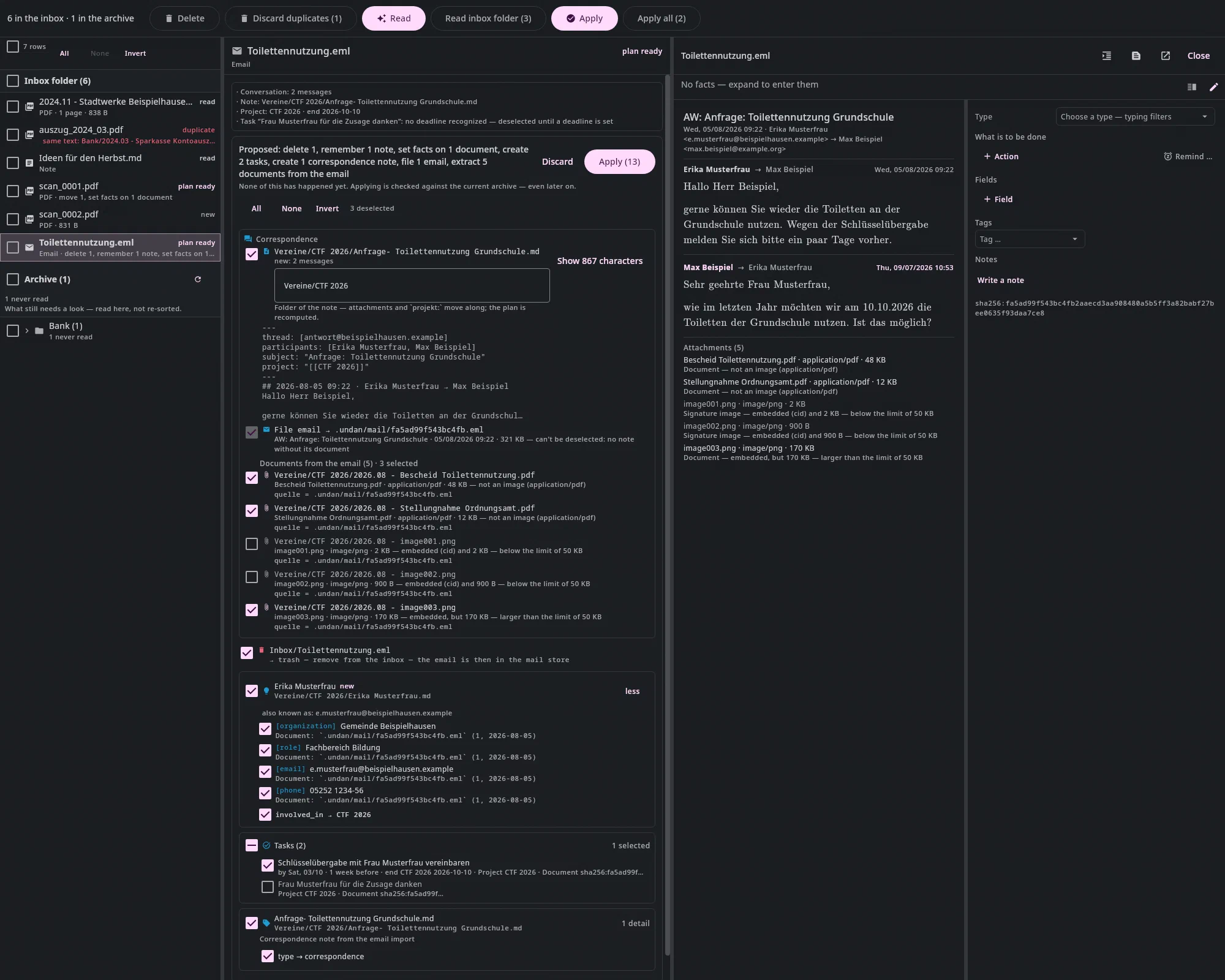
An email in the inbox: in the middle the proposal to file the conversation as a correspondence note, with attachments, a contact and tasks, each with a checkbox; on the right the email.
Mail — a proposal for note, attachments, contact and tasks.
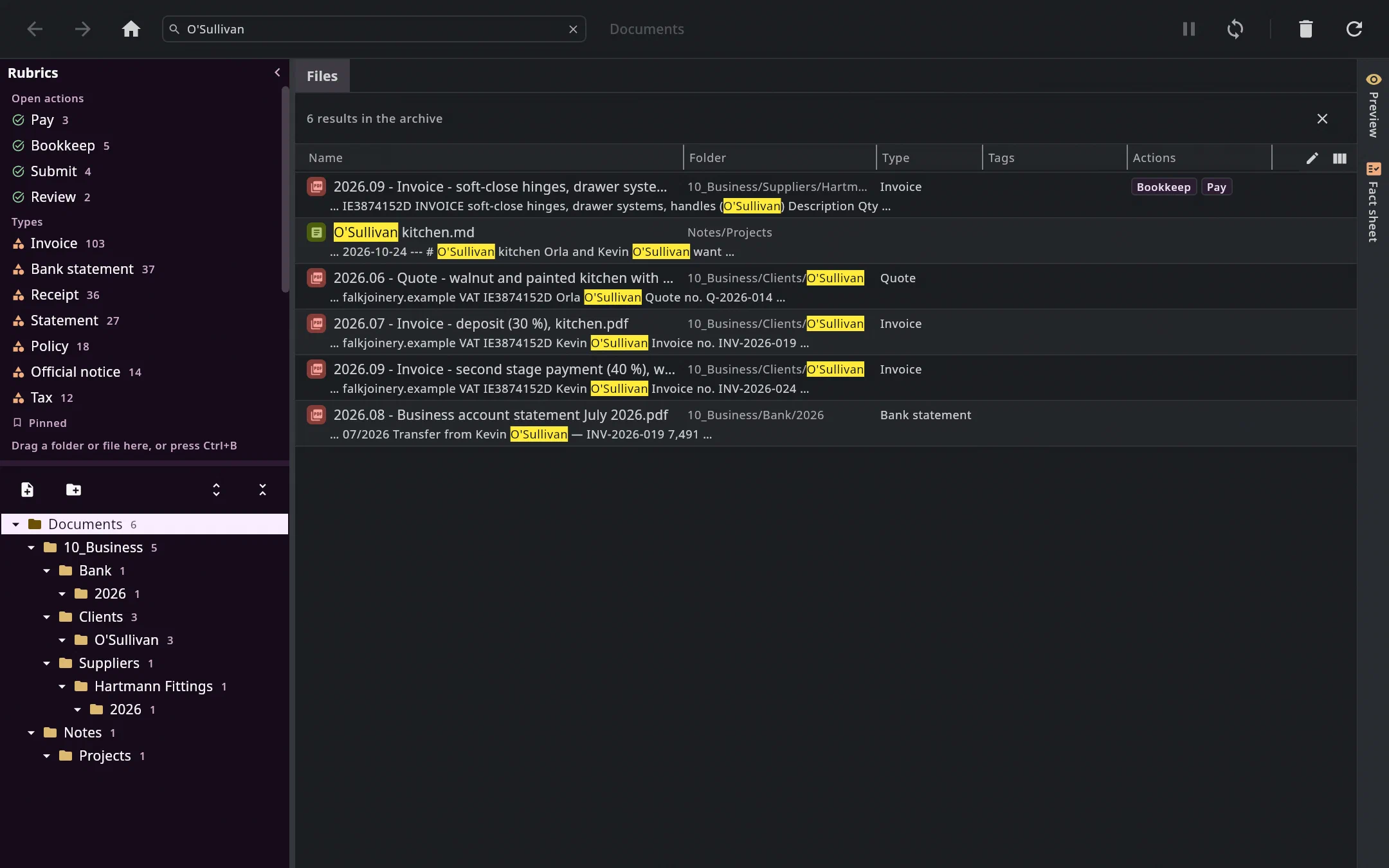
The Documents tab with the search O'Sullivan: six hits across the archive — the quote, two stage invoices, the invoice for the fittings, a bank statement with the transfer and the project note —, the matches highlighted; on the left the tree counts the hits per folder.
Search — one word, across everything.

All features

Questions

Where is my data?

In your documents folder, as ordinary files — readable with any other program. There is no server of ours.

What does the AI get to see?

Only what you send it, and calendars, mail accounts and contact fields only as far as you allow. With Claude it goes to Anthropic; with a local model it stays with you.

Do I have to use the AI?

No. Undan reads amounts, dates and IBANs itself; search, mail, calendar and tasks need no model.

Who is Undan for?

For one person and their household — receipts, contracts, correspondence, letting, self-employment. Not for teams.

Which systems, and what does it cost?

Linux first, macOS and Windows will follow. There will be a subscription and a lifetime licence; prices are not decided yet.

When can I try it?

The first test version is planned for early November 2026. Everyone on the waitlist hears about it first.

Join the waitlist

We'll write to you when there's something to try — and otherwise not.

You'll first get an email to confirm (double opt-in). We use the address only for news about Undan; every email has a one-click unsubscribe. MailerLite runs the list on our behalf — details in the privacy policy.