Features · Calendar
Appointments and tasks in one grid.
The calendar shows your appointments from Google and, above them, what you've planned for each day. Whatever needs a fixed time, you drag into a free hour. It isn't there for deadlines and reminders — Undan handles those itself, and your calendar stays for appointments.
What the calendar can do
Schedule tasks
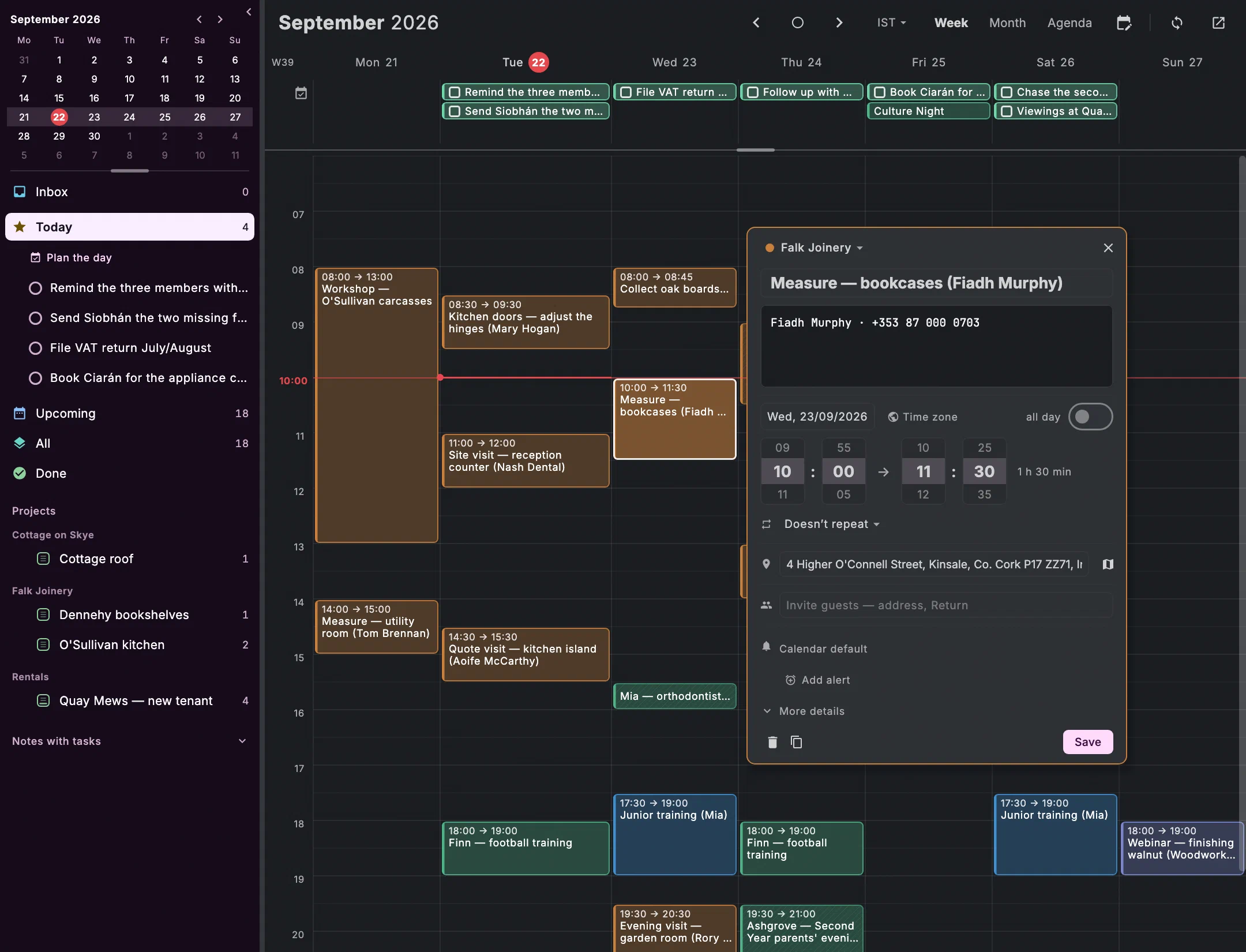
The task sidebar is on the left. Drag a task into the grid and it gets an appointment to the quarter hour; dropped on a day, that day becomes its deadline. The card counts how often it has already been moved.
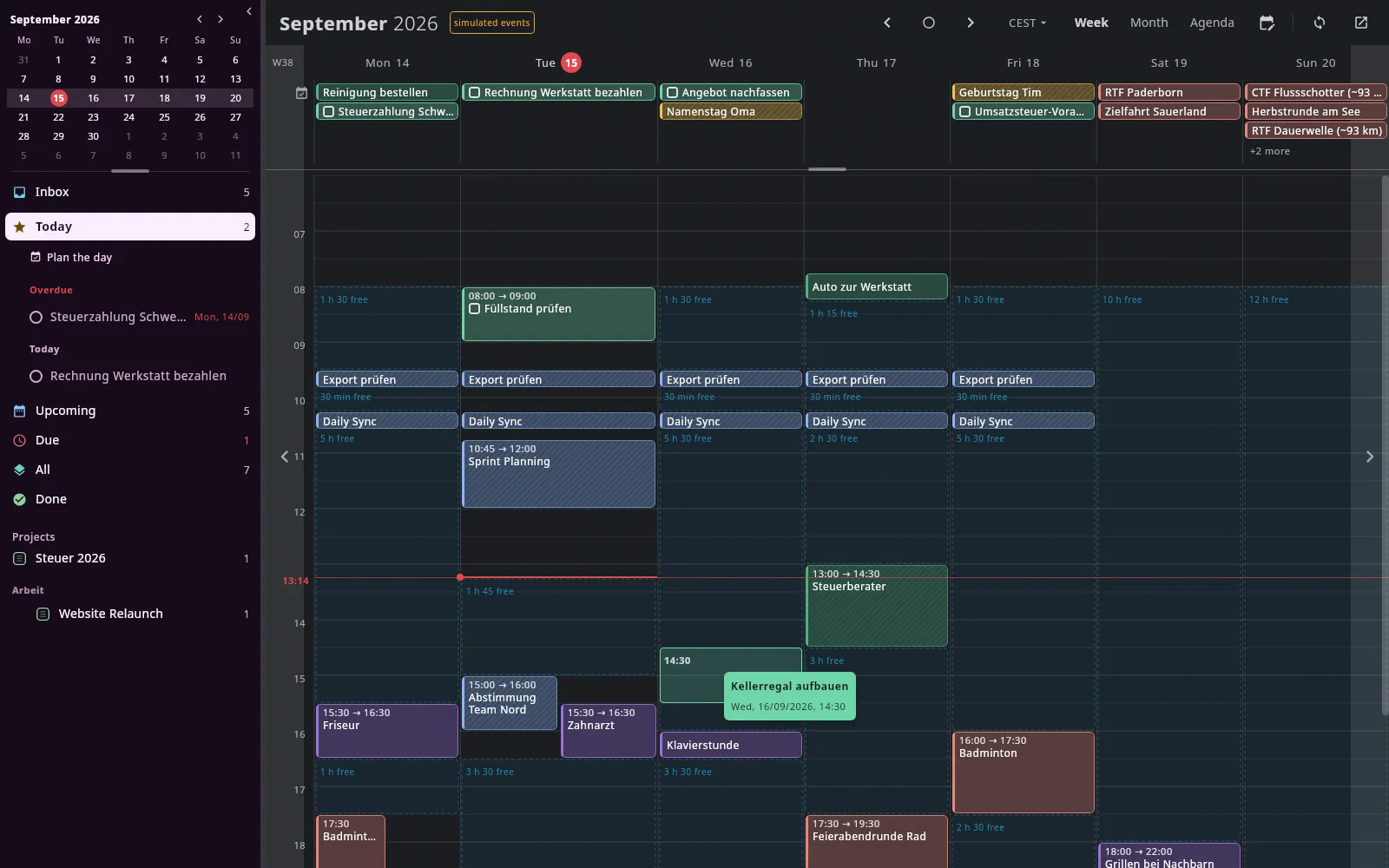
See free time
Fshows the gaps in the week, such as “2 h 30 free”. Plan the day spreads the day's open tasks over the free time, overdue ones first — as a proposal; one click accepts it, oneCtrl+Z⌘Ztakes it back.An appointment is a sentence
Type day, time and guests in one line, and the appointment is created; what Undan has recognised is shown as you type.
Ctrl+N ⌘NOffline
Your appointments are stored on your device: viewing and searching work without a connection, and so does editing. A change shows in the calendar at once and is sent later, even after a restart; if something else changed in the meantime, you decide.
Guests, without surprises
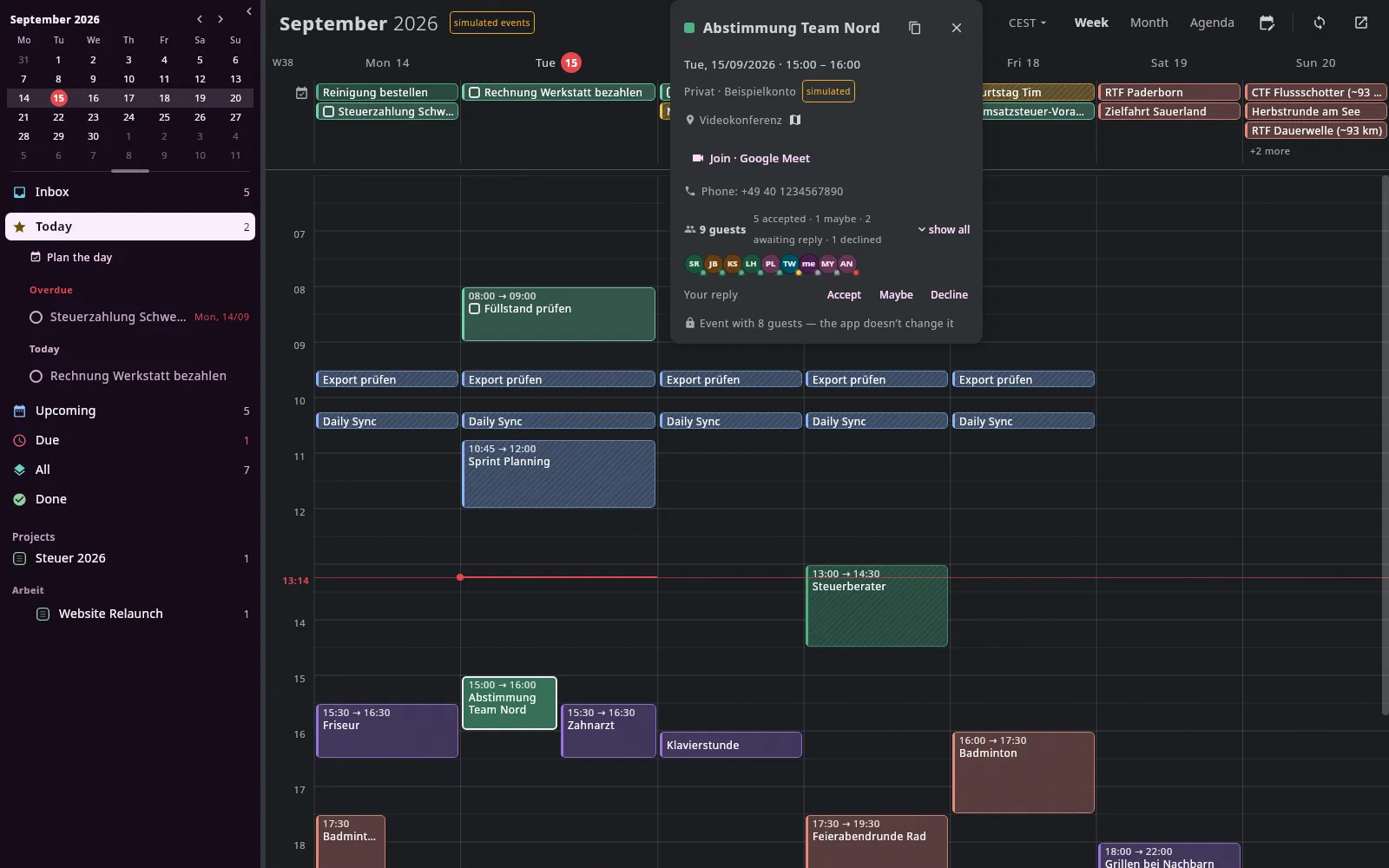
Undan suggests guests from your contacts, appointments and emails. An invitation only goes out if you tick the box — and it's unticked every time. You reply to invitations in the appointment's card.
What your archive knows
For every guest the card shows what your archive knows about them: their projects, open tasks, the latest correspondence. Found by email address.
Series, time zones, conferences
Series with their own rules, a second time column, and an end in another time zone for flights. Ten minutes before a video conference, Join conference appears above every tab.
Import appointments
Bring in an iCal file (
.ics) withI; Undan spots what is already in the calendar. OneCtrl+Z⌘Ztakes back the whole import.From the keyboard
W,MandLswitch between week, month and agenda,Tjumps to today,JandKpage through,Ncreates an appointment. Every key can be reassigned.Ctrl+N ⌘N Ctrl+F ⌘F Ctrl+Z ⌘Z All keys
What it looks like
The week with Jonas Falk from the demo archive, the other pictures from the help's test archive.
Join the waitlist
We'll write to you when there's something to try — and otherwise not.