Features · Documents
Your folders, and what's in your documents.
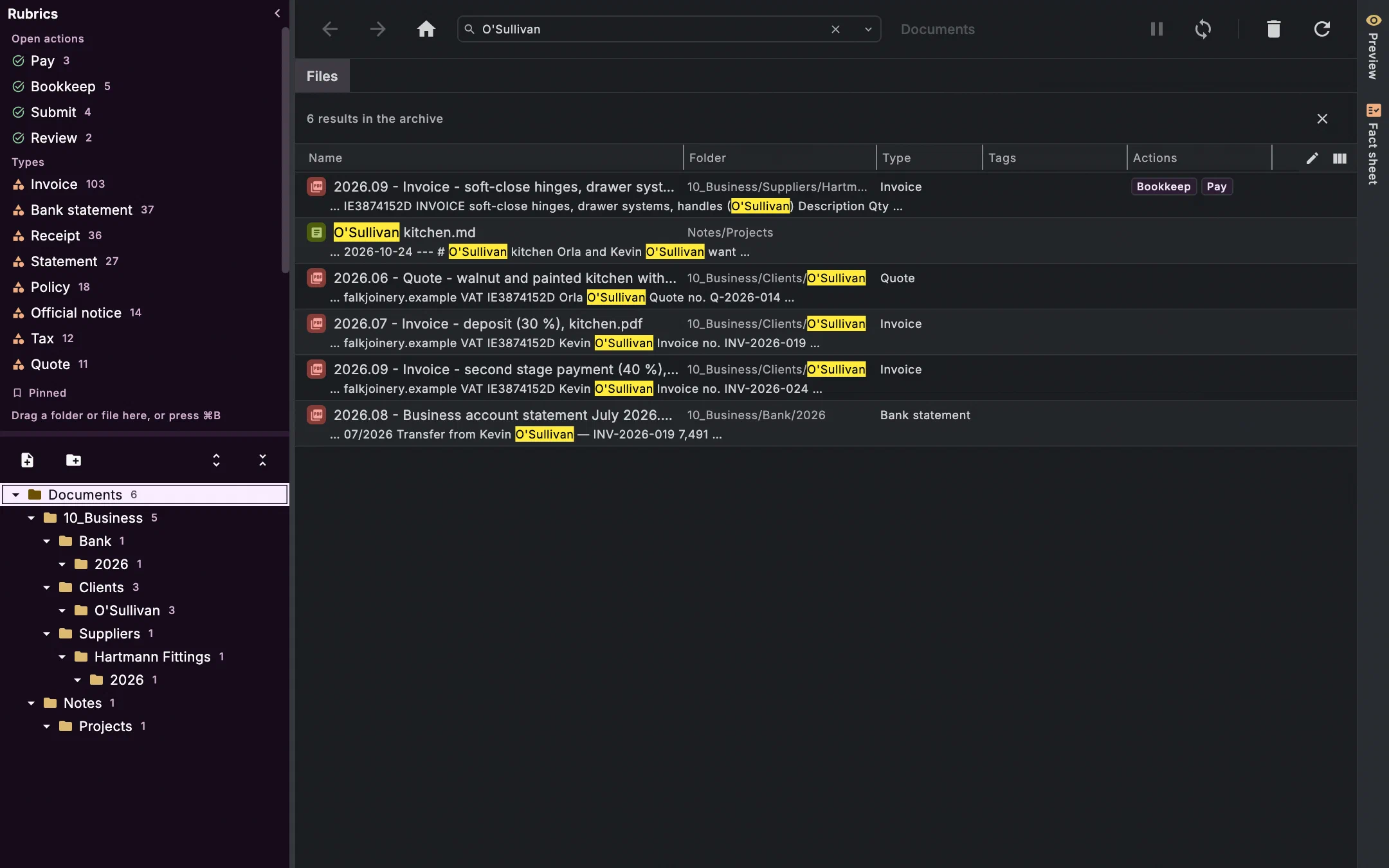
On the left your folder tree, just as it is on disk. Next to it a table that knows more than names: type, amount, due date, what needs doing. And a search that cuts across everything.
What the table can do
Facts, not just file names
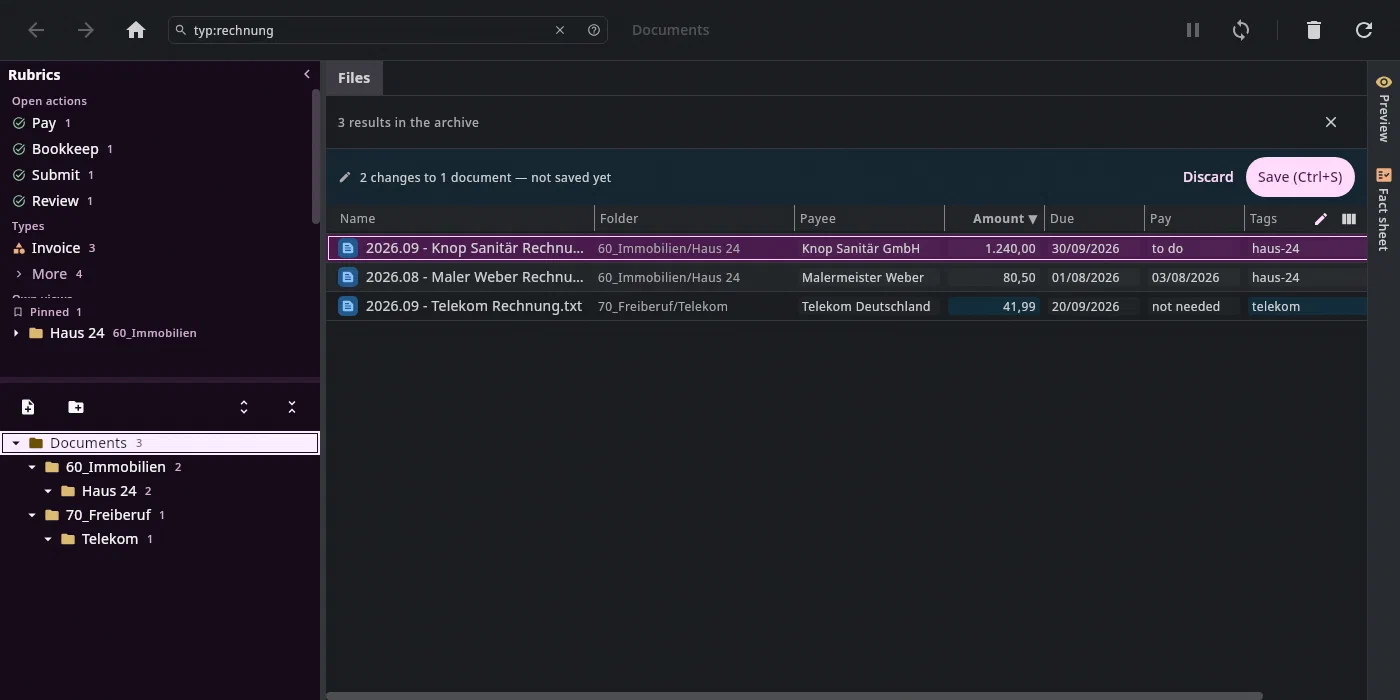
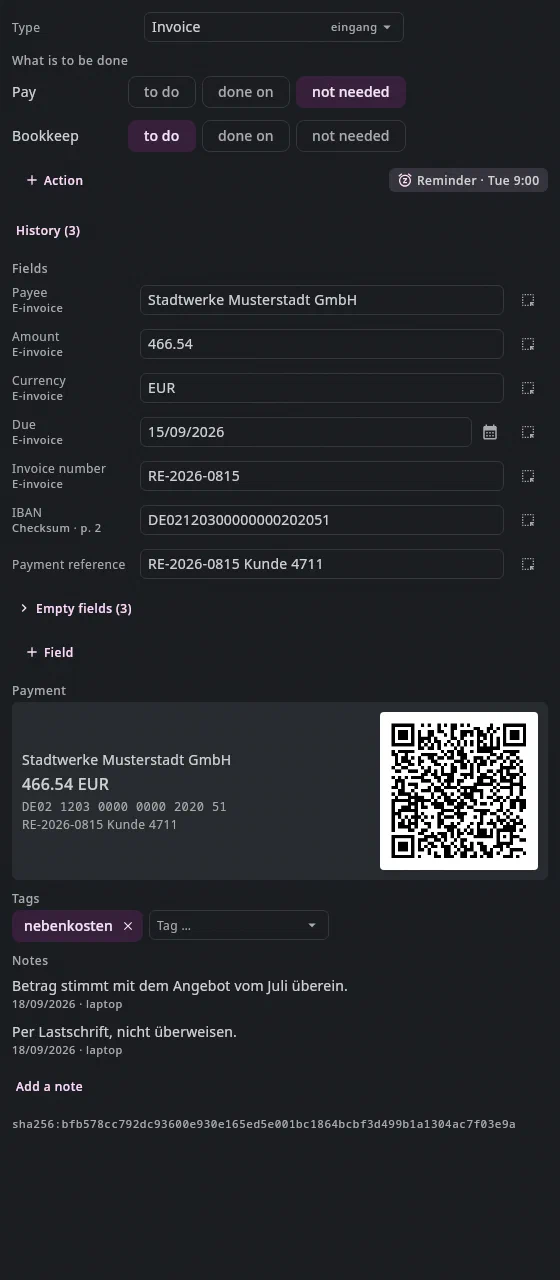
Every document has a type, fields such as payee, amount and due date, actions and tags. The table shows them as columns; which ones, in what order and how wide is up to you. A view with its folder, sort order and search becomes a bookmark.
Change many at once
In Edit mode you change type, tags, fields and actions right in the cells, for one row or the whole selection. Derive from the text fills empty fields without a model. Saving is one step.
Ctrl+E ⌘E Ctrl+S ⌘SA search with its own language
Words,
"a phrase",-word, plus keys:type:invoice,due<today+7,$pay:open. The columns follow the search, and as you type, Undan suggests examples from your own archive.Ctrl+F ⌘F Ctrl+Space ⌥EscRubrics that count
On the left are the open actions with their count — Pay 3 —, the types, your own views and what you have pinned. Every rubric is a search, always up to date.
Preview for almost everything
PDF, images, Markdown, and Word, OpenDocument and Excel as pages too, without anything else installed. Plus the recognised text, printing and a window of its own.
Sign PDFs
Edit… places text, a date or your signature on a page. It places, it doesn't rewrite;
Ctrl+Z⌘Zbrings back the old version byte for byte. Password-protected PDFs you can view without Undan storing them decrypted.What belongs together
Next to every document is what belongs to it: notes, tasks, emails, contacts, appointments — each with the reason, such as “came with this email” or “same IBAN”. Calculated, not guessed.
Nothing gets lost
Deleting means the Trash, 30 days by default. Every step is in the journal, and
Ctrl+Z⌘Ztakes back the last one, even after a restart. Dragging files out into an email or a web form never deletes anything.Ctrl+Z ⌘ZFrom the keyboard
Tree, table, preview, relations and fact sheet each have a key; the command palette finds the rest. Every key can be reassigned.
Alt+2 ⌘2 Alt+3 ⌘3 Alt+4 ⌘4 Ctrl+K ⌘K All keys
What it looks like
The search with Jonas Falk from the demo archive, the other pictures from the help's test archive.
Join the waitlist
We'll write to you when there's something to try — and otherwise not.