Features · Tasks
What you're planning is written down — not in your head.
A project has an end, an area doesn't: a kitchen for a customer is a project; the club, the house, the children's school are areas. In Undan both are a note, and the tasks are inside. Today gathers what's due — including the invoice that wants paying.
How tasks work in Undan
Today and Upcoming
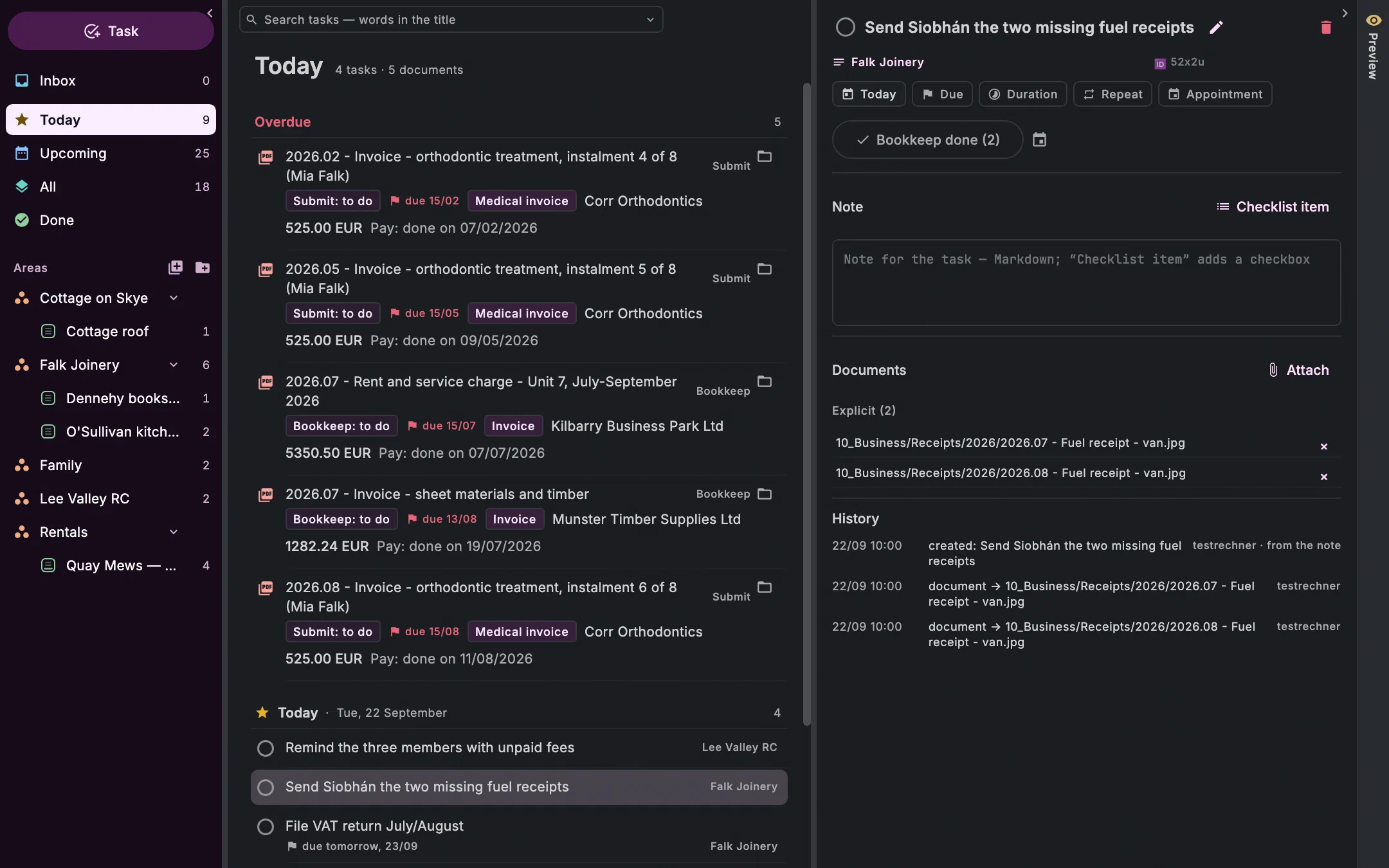
Today shows what's due today, and what is already overdue, because that has to be decided today. Upcoming has one group per day. In between are the documents and emails with an open action and a date, three days ahead, and everything you've set a reminder on.
Creating is a sentence
Pay rent due Sep 30,Write report 2 h,… remind me tomorrow at 9:00— Undan splits the sentence into title, project, tags, When, Due, Duration and repeat as you type.Ctrl+N ⌘NWhen and Due
When is the day you mean to do it, Due the day it must be done by. With a time, the task notifies you at that time — it doesn't become an appointment. A start date keeps it waiting until it's time.
Projects with a plan
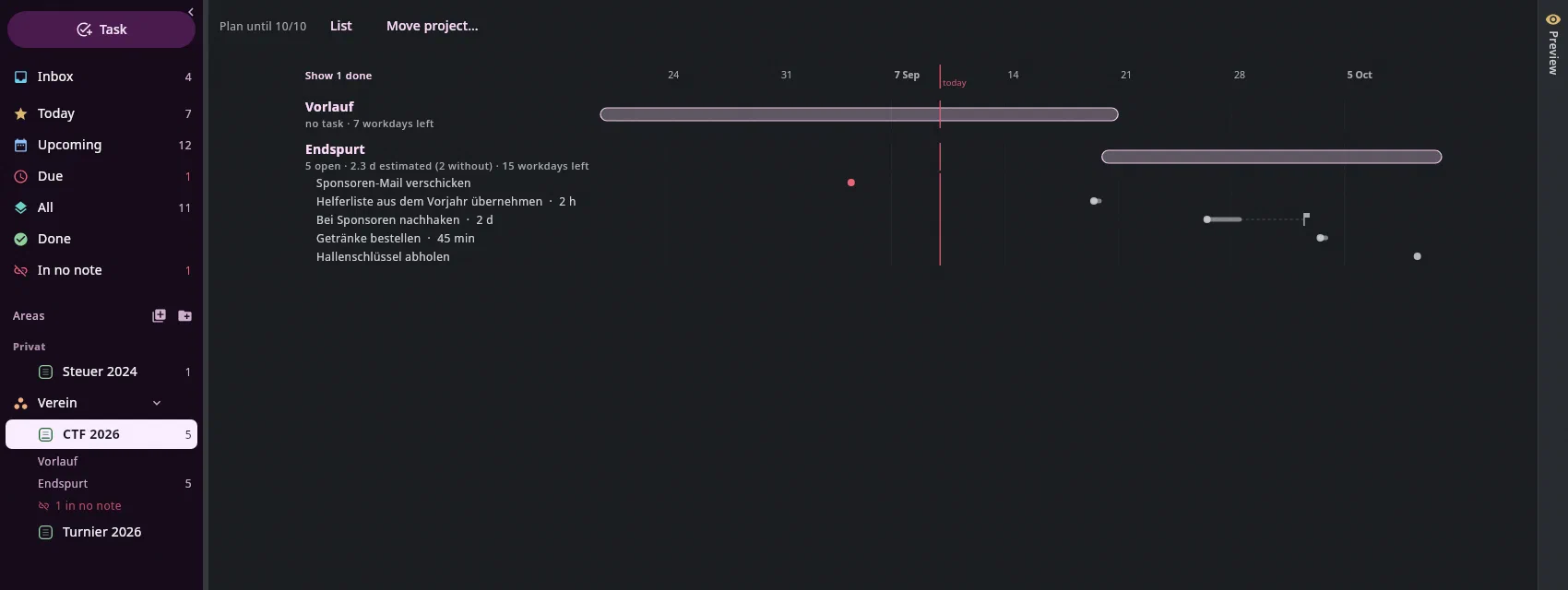
A project is a note with an end. Sections with a period become phases, tasks carry an estimated duration, and the Timeline shows it all at a glance — in red with “tight” when more work is estimated than days remain. Move project… shows which deadlines move along.
Areas that never end
An area is a note with its loose tasks, and at the top its projects with progress and end date. How you organise is up to you; Undan doesn't prescribe it.
Drag into the calendar
The same sidebar is in the calendar. Whatever needs a fixed time you drag into a free hour, and it becomes an appointment, with a Google account there too. Deadlines and reminders come from Undan itself; your calendar doesn't fill up.
Documents on the task
A task carries its documents: the two fuel receipts for the accountant, the three invoices of a payment run. Pay done (3) enters the date on every document, and one
Ctrl+Z⌘Ztakes it back.Morning, noon, evening
At 9, 13 and 21 o'clock a card sits above the list. In the morning it asks: Which three first? At noon and in the evening: later today, tomorrow, this week, or dismiss. The times can be changed.
From the keyboard
Sidebar, list and details each have a key; a task is done with one key press, and
Ctrl+Z⌘Ztakes it back.Ctrl+N ⌘N Ctrl+Return ⌘Return Ctrl+Z ⌘Z All keys
What it looks like
Today with Jonas Falk from the demo archive, the other picture from the help's test archive.
Join the waitlist
We'll write to you when there's something to try — and otherwise not.